This post contains affiliate links. We may earn a commission when you download a freebie or buy a subscription on Creative Fabrica, at no extra cost to you.
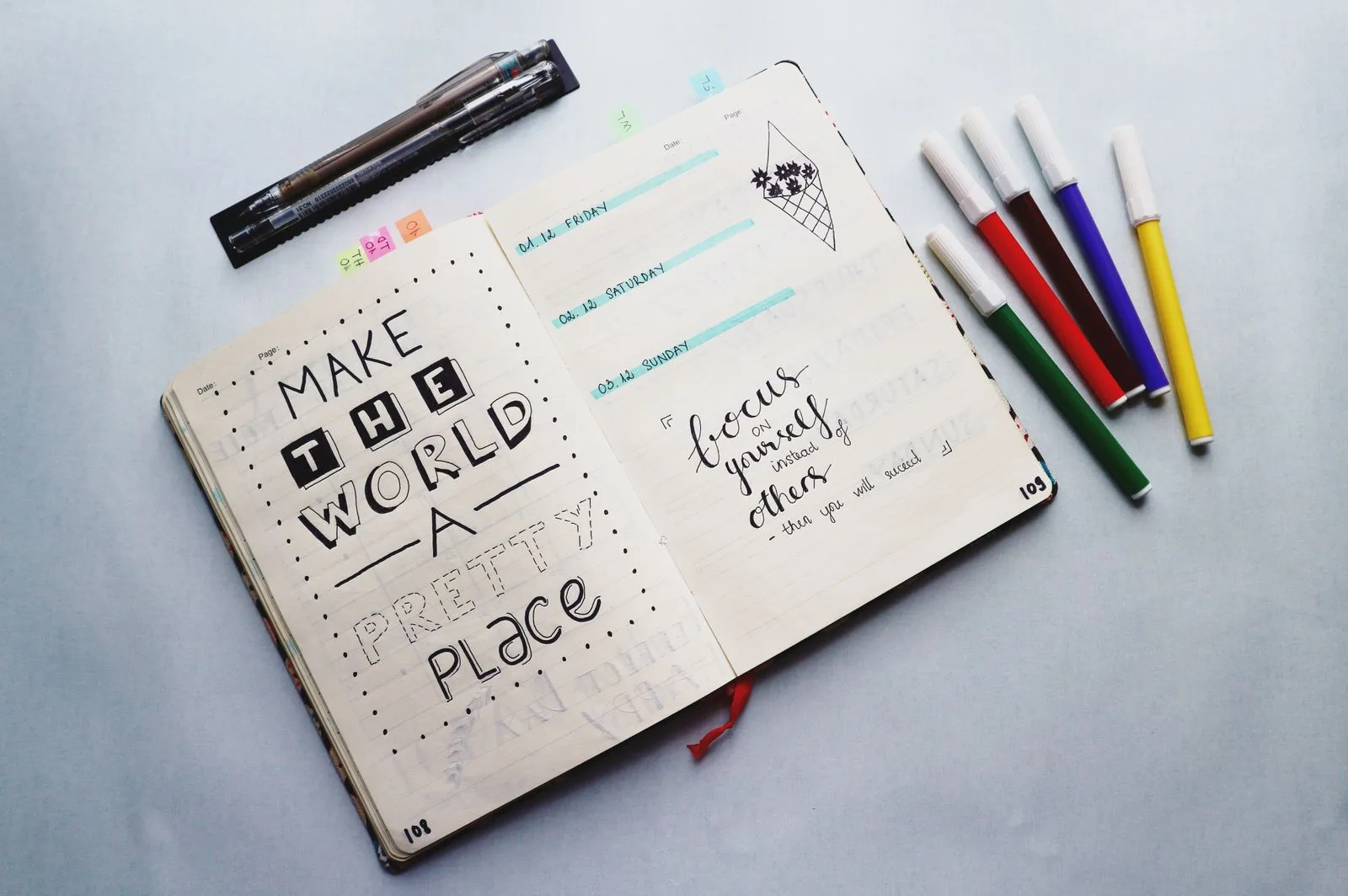
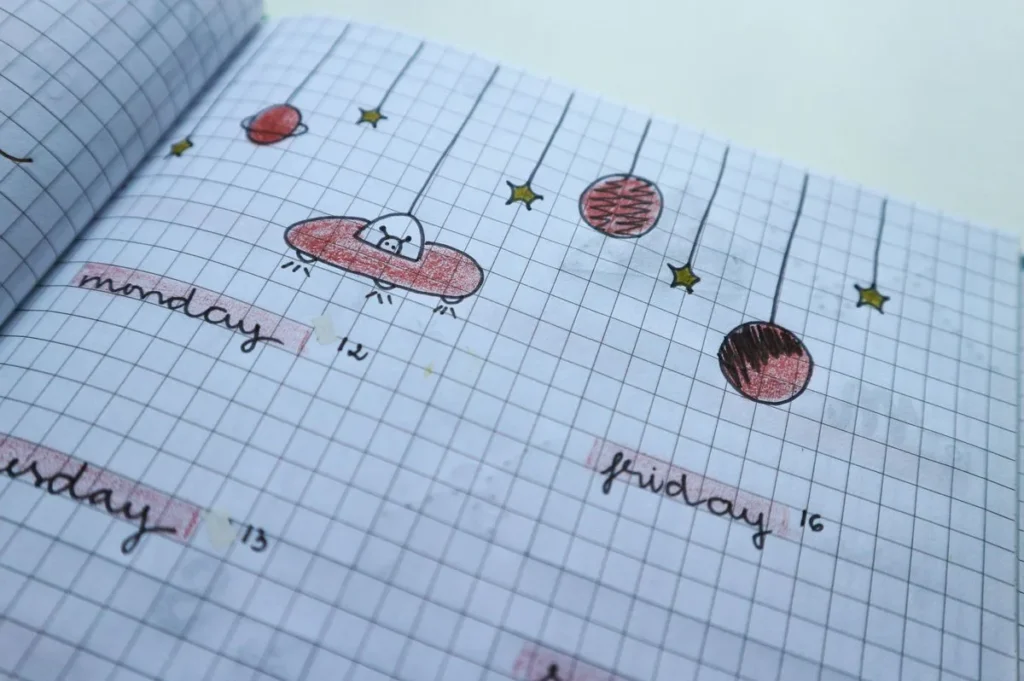
Your real handwriting is fine for about three lines. Then your hand gets tired, the letters start leaning like they have had a long day, and by the bottom of the weekly spread your “Thursday” looks like a seismograph reading. So you try a handwriting font for the headers, print it out, and something is off. It looks neat. It also looks like nobody wrote it.
That feeling has a cause, and it is fixable. The preview that wows you is rarely the one to keep. For journaling you want a font that stays readable at planner-box size and does not give itself away the moment a word has two of the same letter in a row.
The short version: For journal pages and planners, pick a font with a tall, open lowercase and even strokes, then check that it has alternate letters or comes as a duo. For digital planners, any font installed on your iPad shows up in Goodnotes. The free Anastasia and Short Days handle most journaling jobs on their own; the bundles further down are for people who want a different “hand” for every page.
Why handwriting fonts look fake (and how to spot a good one)
Type the word “coffee” in most handwriting fonts and look at the two f’s and the two e’s. They are identical, pixel for pixel. Real hands never do that, and your eye catches it even if you could not say why. It is the copy-paste tell.
Better fonts handle it in one of three ways. Some ship with alternate letters that swap in automatically in programs that support OpenType features. Some come as a duo, a script plus a print style, so you can mix them the way real handwriting mixes joined and unjoined letters. And bundles give you several related hands, so the header on Monday does not match the sticky note on Friday too perfectly.
The other thing to check is the x-height, which is how tall the lowercase letters are compared with the capitals. Planner boxes are small. A font with tiny lowercase letters and huge loopy capitals turns into dust at that size, while a font with a generous x-height stays legible down to the last to-do.
What you are writing
Look for
Skip
Journal page text, quotes, prompts
Tall lowercase, even stroke, alternates
Hairline scripts, fonts with tiny lowercase
Headers and titles
A bit of personality, a duo to pair with
Anything you cannot read at a glance
Planner boxes and trackers
Clean print style, generous letter spacing
Connected scripts that crowd a small box
Digital stickers and labels
Bold, rounded print that holds up small
Thin monoline at sticker size
Free handwriting fonts to try first
You can grab all five without paying. On Creative Fabrica, skip the big trial button and tap the small “Download this product as a freebie” line under it.
Anastasia is by far the most popular font in this roundup on Creative Fabrica, with one catch printed right in its listing: it does not work in Canva. For paper journals and Goodnotes that does not matter at all.
Neat print fonts for journal pages and planner boxes
When you want a page to look tidy without looking typed, a clean print hand with rounded ends is the answer. These are the workhorses: they read well in a two-inch planner box and still look like somebody held a pen.
Diary fonts with a looser hand
For junk journals and memory pages, a little mess is the point. These have the relaxed loops of a note written on the back of a receipt, which is exactly what a junk journal page wants next to a torn ticket and a scrap of lace. If you are building pages from scratch, our junk journal ideas are full of spots where a handwritten line pulls everything together.
Font duos: script plus print
A duo is the easiest fix for the copy-paste tell. Write the heading in the script, the notes in the print version, and the page reads like one person switching gears, which is what real journaling looks like anyway.
Bundles for a different hand on every page
If you keep a daily journal or sell digital planners, one font gets old by February. A bundle costs about the same effort to install and gives you a whole shelf of hands.
How to use handwriting fonts in Goodnotes
Goodnotes cannot install fonts by itself. Its support article on custom fonts explains that the app uses fonts installed on your iPad or iPhone, so the job is installing the font on the device first.
Download the font on your iPad and save the OTF or TTF file to the Files app. Zipped downloads open with a single tap in Files.
Install it with a font manager app. Apps such as iFont or AnyFont open the file and install it for the whole iPad.
Approve it if asked. Some apps hand iPadOS a font profile to approve: open Settings, tap the Profile Downloaded prompt (or look under General, then VPN & Device Management) and tap Install.
Open Goodnotes, pick the Text tool and scroll the font list. Your new font sits with the rest.
On a Mac, install the font the usual way and it should show up in the Mac version of Goodnotes too. Notability and most other note apps read system fonts the same way. Still choosing the planner? Our digital planner roundup starts with four checks, from whether the file fits the free Goodnotes plan to page orientation.
Selling digital planners made with these fonts is a separate question from using them yourself. Freebies from Creative Fabrica come with its Single Sales License and All Access downloads follow the subscription license, but embedding a font inside a product you sell has its own rules, so check the product page’s license terms before your planner goes on sale.
Frequently asked questions about handwriting fonts
What is the best handwriting font for journaling?
One with a tall lowercase and even strokes that stays readable in small spaces. Anastasia and Short Days are free places to start.
How do I add handwriting fonts to Goodnotes?
Install the font on your iPad with a font manager app such as iFont, approve it in Settings if asked, then choose it from the Text tool’s font list in Goodnotes.
Why does my handwriting font look fake?
Repeated letters are identical. Pick fonts with alternates, mix a script and print duo, or switch between fonts from a bundle.
Can I use handwriting fonts in Canva?
Yes, with a paid Canva plan that allows font uploads. Check the product page first, because a few fonts, including Anastasia, are marked as not Canva compatible.
Are there handwriting fonts that look like neat print instead of cursive?
Yes, and they are the best choice for planner boxes. Neat Margin, Wonderful Moments and the free Short Days all lean toward tidy print.
Thursday, written neatly
Pick the font by the size of the box it has to fill, check the double letters, and give your headers a duo so they do not look stamped. Then the weekly spread gets finished the way it started: every day of the week readable, including Thursday, which finally looks like a word again.
Get free junk journal printables
New printables, page ideas, and paper craft tutorials, straight to your inbox.
This post contains affiliate links. We may earn a commission when you download a freebie or buy a subscription on Creative Fabrica, at no extra cost to you. It starts with your grandmother’s bread, the recipe you finally got right, and a card you want to look like it came out of a flour-dusted cookbook…
This post contains affiliate links. We may earn a commission when you download a freebie or buy a subscription on Creative Fabrica, at no extra cost to you. The font looked perfect on the canvas. Delicate script, gorgeous swashes, exactly right for the twelve gift tags you promised your sister. Then the mat comes out…
15 Christmas fonts for Cricut, Canva and cards, five of them free, sorted by job: what cuts cleanly in vinyl, what prints best, and how to install them.
15 monogram fonts, five free: circle, split, fishtail and college styles, plus the right letter order for three-letter and couple monograms.
Manage Consent
To provide the best experiences, we use technologies like cookies to store and/or access device information. Consenting to these technologies will allow us to process data such as browsing behavior or unique IDs on this site. Not consenting or withdrawing consent, may adversely affect certain features and functions.
Functional
Always active
The technical storage or access is strictly necessary for the legitimate purpose of enabling the use of a specific service explicitly requested by the subscriber or user, or for the sole purpose of carrying out the transmission of a communication over an electronic communications network.
Preferences
The technical storage or access is necessary for the legitimate purpose of storing preferences that are not requested by the subscriber or user.
Statistics
The technical storage or access that is used exclusively for statistical purposes.The technical storage or access that is used exclusively for anonymous statistical purposes. Without a subpoena, voluntary compliance on the part of your Internet Service Provider, or additional records from a third party, information stored or retrieved for this purpose alone cannot usually be used to identify you.
Marketing
The technical storage or access is required to create user profiles to send advertising, or to track the user on a website or across several websites for similar marketing purposes.